Dual MACD, Dual Leading MACD & Divergence System
What makes this suite stand out
- Two fully customizable MACDs for shorter-term, longer-term, or strategy-specific setups
- Two additional Leading MACD variations for a more responsive MACD view
- Flexible display modes for single or combined MACD views
- optional regular and hidden divergences
- optional divergence labels directly on the price chart
- adjustable divergence detection with early, confirmed, or custom settings
- extensive visual and structural customization (screenshots use the JustIndicate default theme)
- alerts work independently from the selected display mode, so all available alert conditions can be used at any time
The suite combines two fully customizable MACDs, each with its own Leading MACD variation, divergence detection, signal-based alerts, and flexible display control in a single indicator.
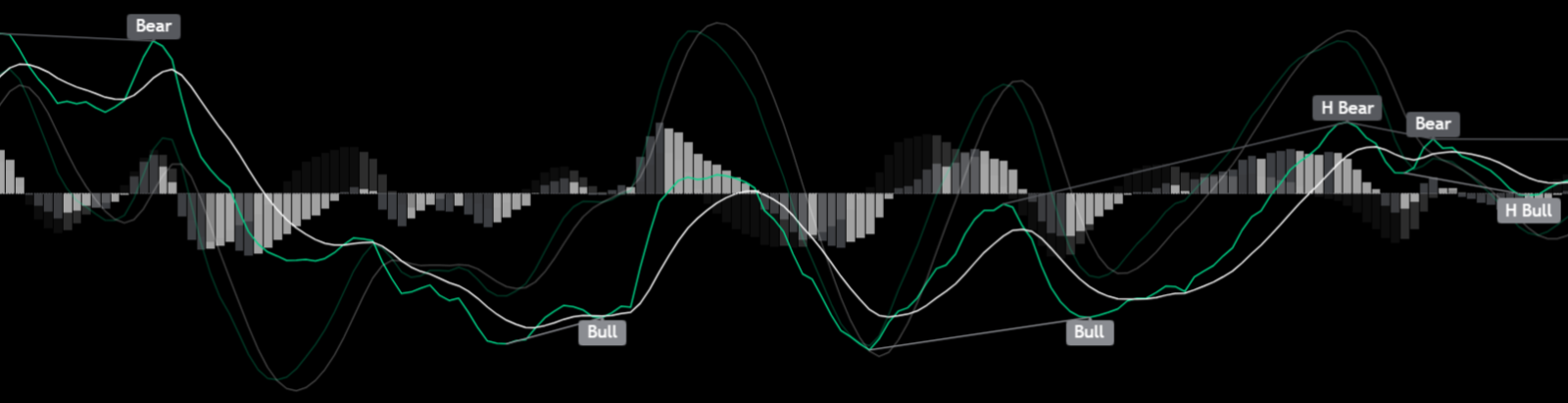
Display Modes
The indicator can be used in multiple configurations:
- MACD 1
- MACD 2
- MACD 1 + MACD 2
- MACD 2 + MACD 1
- Leading MACD 1
- Leading MACD 2
- MACD + Leading MACD combinations
When two lines are shown together, the first selected one is displayed as the main view, while the second is dimmed.
MACD Structure
MACD (Moving Average Convergence Divergence) is a momentum indicator derived from moving averages that shows changes in trend strength and direction.
The suite includes:
- MACD 1
- MACD 2
- Leading MACD 1
- Leading MACD 2
This allows traders to compare different MACD behaviors inside one indicator instead of switching between separate tools.
Each MACD can be configured individually, including:
- fast length
- slow length
- signal smoothing
- moving average type
- colors and histogram appearance
Leading MACD
In addition to the two classic MACDs, the suite includes:
- Leading MACD 1
- Leading MACD 2
These versions build on the settings of their corresponding MACD and use a more responsive calculation style that can highlight momentum shifts earlier than a standard MACD.
The calculation is based on a double EMA approach and remains EMA-based independent of the selected source type of the corresponding MACD.
Each Leading MACD includes:
- individual leading length
- separate display mode
- independent color settings
Divergences
Divergences highlight imbalances between price and momentum and can indicate potential reversals or continuation. Regular divergences can indicate potential reversals, while hidden divergences can support trend continuation.
The suite includes optional divergence detection with individually selectable signals:
- Regular Bullish
- Regular Bearish
- Hidden Bullish
- Hidden Bearish
Additional options:
- Early, Confirmed, or Custom detection mode
- optional divergence labels directly on the price chart
- adjustable minimum and maximum pivot range
- optional Zero Line Filter for regular divergences
All divergence elements can be enabled or disabled individually.
Divergence Detection Modes
- Early detection for faster signals
- Confirmed detection for higher reliability
- Custom detection with adjustable pivot settings
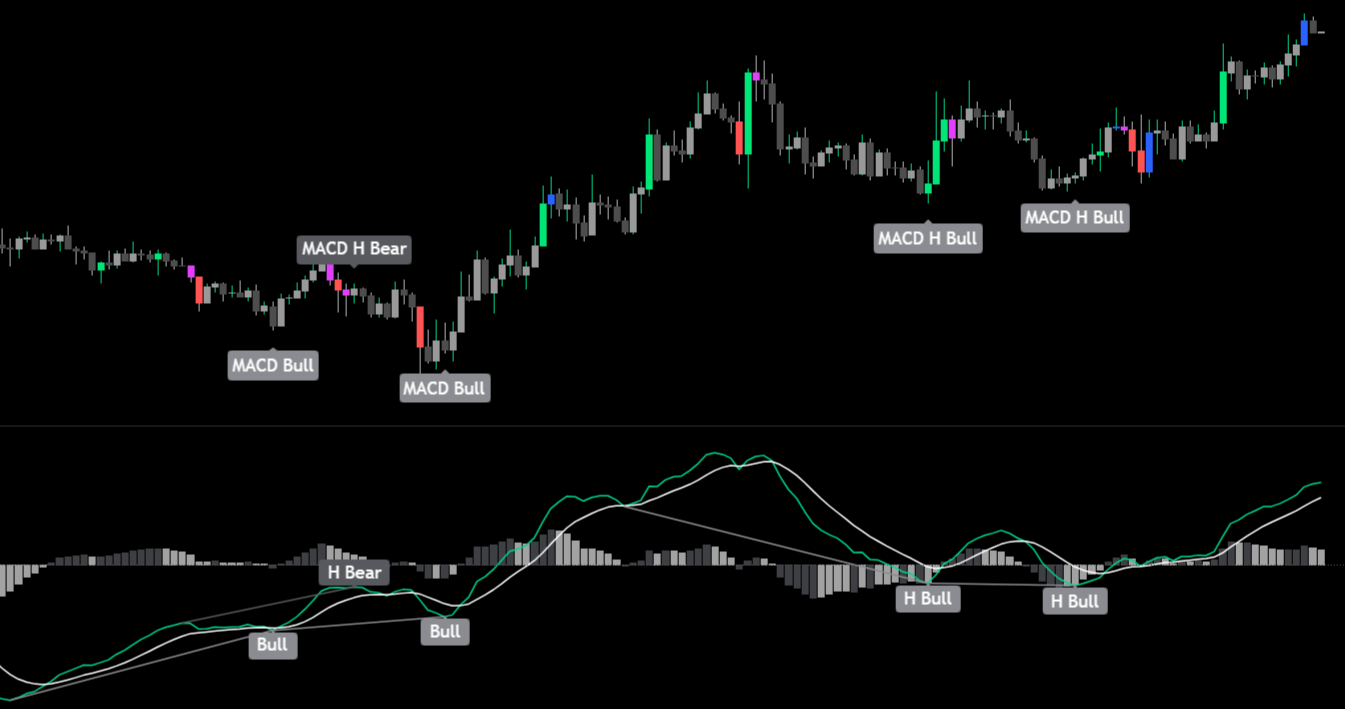
Visual Control
The suite is designed for flexible chart reading:
- single or combined MACD views
- dimmed secondary MACD for better focus
- adjustable dimming level
- customizable histogram colors
- customizable MACD and signal line colors
- optional divergence display on the price chart
This makes it easier to adapt the indicator to different chart styles and trading preferences.
Alerts
Alerts are available for key MACD events:
- MACD bullish and bearish crosses
- Leading MACD bullish and bearish crosses
- MACD zero line crosses
- Leading MACD zero line crosses
- regular bullish and bearish divergences
- hidden bullish and bearish divergences
Divergence alerts follow the selected Early, Confirmed, or Custom detection mode, allowing traders to choose between faster signals or stricter confirmation.
All alert conditions can be used independently from the currently selected display mode.
» Try the Full Smart Suite Bundle – 7 Days Free
On TradingView
This indicator
JustIndicate profile
More indicators on this website
Trend Anchor – Anchor Your Analysis
RSI Smart Suite + STC
Volume Smart Suite
Moving Averages Smart Suite